Calculating Exposure Time for Industrial Image Processing Cameras
The 2017 World Athletics Championships men's 100 meters final witnessed a big story. While American Justin Gatlin won the gold medal with a time of 9.92, Usain Bolt retained the bronze medal.
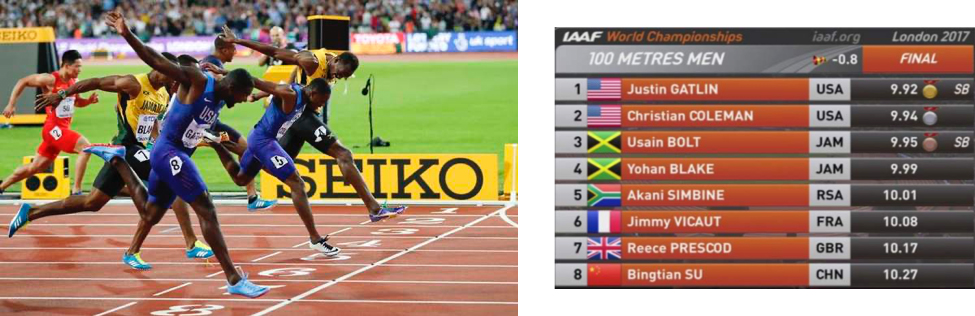
Since 2008, there has not been a 100 meter race in which he did not win a gold medal, apart from dropping out of the race due to one false start. I think we wouldn't be wrong if we said that there was no need for a photo finish in these races. In this last race, the photo-finish camera would determine which of these athletes who ran at 40 km per hour came first, and Usai Bolt was ahead of American Justin Gatlin by 30 ms.
Industrial image processing applications are certainly one of the most meaningful places to get fast and clear images, as well as sports competitions such as the Olympics and world championships. Did it seem too exaggerated? Then let's imagine that 100 products need to be checked per second to prevent the faulty product from being delivered to users. For example, did you know that 120 banknotes are printed and checked every second in central banks?
In any industrial camera application, one of the most important considerations is the camera's exposure time. In cases where this is set arbitrarily, the resulting product we are viewing may be blurry due to movement. To maximize our settings, we need to calculate the minimum exposure time to eliminate blur and maximize our brightness.
In this blog post, we will help understand the effects of exposure time and calculate it for a specific application.
First, let's explain camera exposure. Exposure time or shutter speed is the amount of time you allow light to hit the image sensor. The longer the exposure time, the brighter the image will be as more light will fall on the pixels. In industrial cameras, exposure time is normally given in milliseconds. (i.e. 1/60 sec = 0.0166 sec or 16 ms).
So how does this relate to blurriness? Blur is what you get when your subject moves relative to the sensor and moves by 2 or more pixels during the exposure time.
You'll see this when you take a photo of something moving faster than the exposure time can stop the motion completely.
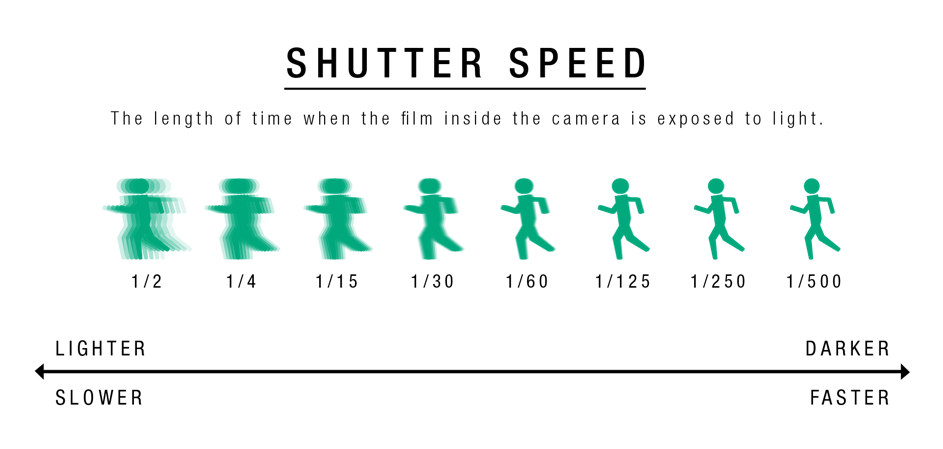
The faster the shutter speed, the less chance the subject has of moving relative to where it started. What we worry about in an industrial image processing application is the object moving throughout the exposure time.
Depending on the application, blurriness may or may not affect us negatively.
For example, your part to be checked corresponds to 1000 pixels on the x-axis and sensor. During image acquisition, the object moves 1 pixel to the right. In this case, you move 1 pixel to a point of 1000 pixels. We call this "pixel blur". However, you may not notice this. If we're just doing a simple check, or there's very little movement, you probably won't care!
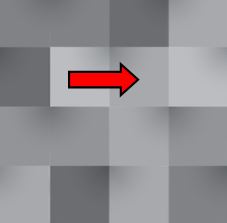
However, let's assume that you perform a precise control on this object, for example, you measure it precisely. Here all this becomes much more important, because now you are not sure of the actual size of the object. And depending on your tolerances, any mistakes you make may not be tolerated!
In most cases, we want clear images without pixel blur. The good part is, this is relatively easy to calculate! To calculate turbidity, you need to know the following:
- Camera resolution in pixels (direction of movement)
- Field of View (FOV),
- speed of object
- Exposure Time
Then you can calculate how many pixels the object will move during exposure using the following formula:
B = Vp * Te * Np / FOV
Where:
B = Blur in pixels
Vp = part speed
FOV = Field of view in direction of motion
Te = Exposure time per second
Np = number of pixels covering the field of view
In the example above, Vp is 1 cm/s, Te is 33 ms, Np is 640 pixels, and FOV is 10 cm:
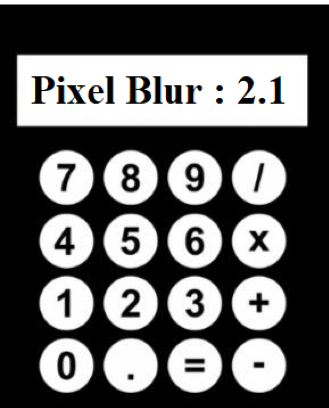
B = 1 cm/sec *. 033 sec * 640 pixels / 10 cm = 2.1 pixels
With precise control and metering, even 1 pixel of blur may be too much and one needs to use faster exposure time.
We hope that you will now evaluate and calculate the required exposure time from this perspective when necessary in your applications.